
Skip to content
Glow Stars
Reports

Track your Google performance with designed PDF reports

Reviews, average rating, search impressions, calls and direction requests… Glow Stars turns it all into easy-to-read PDF reports and emails them to you on the schedule you choose.

  • 7-day free trial
  • Cancel anytime
  • Set up in 2 minutes
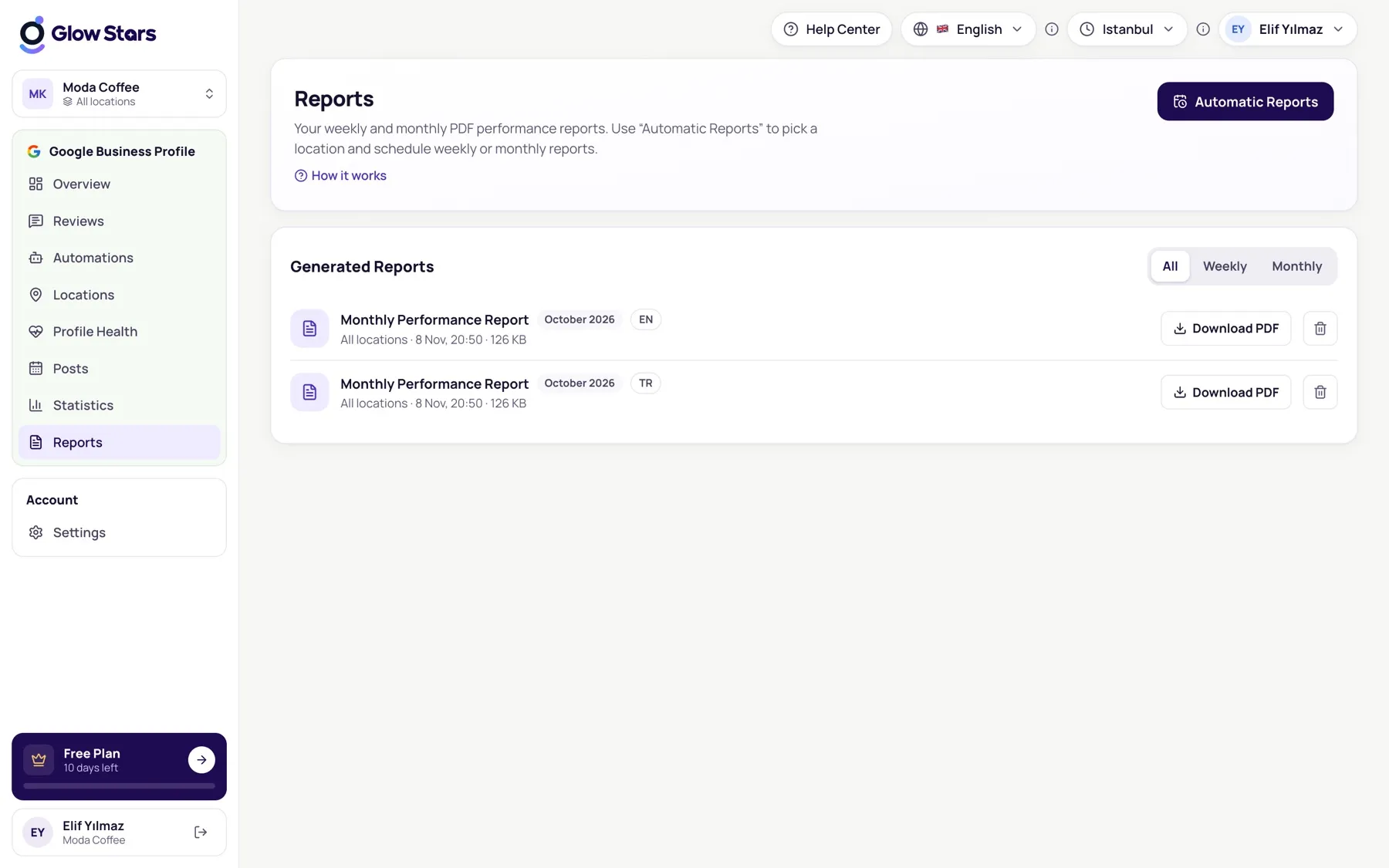
Glow Stars reports screen with automatic PDF reports and scheduling

What’s in the reports?.

Reviews and rating summary

New reviews in the period, average rating, rating breakdown and reply rate at a glance.

Google insights

Profile views, search impressions, website clicks, calls and direction requests.

Search keywords

See month by month which words customers used to find you on Google.

Automatic email

Weekly or monthly reports land in your inbox, and your team’s, as soon as they’re ready.

How reports work.

  1. 1

    Choose the frequency

    Monthly, weekly or both; for a single location or all of them.

  2. 2

    Add recipients

    Decide which email addresses receive the report: you, your team or your client.

  3. 3

    Glow Stars does the rest

    The report is generated on time, saved to the Reports page and sent by email.

One report for agencies and chains

On the Agency plan you can combine all your locations into one report. Each location’s rating, review count and Google insights sit side by side, so you can see at once which location is leading and which needs support.

Reports are prepared with your business name and in your language. For agencies that send clients regular reports, preparation time drops to zero.

Report types

Create the reports you need:

  • Monthly performance report (all plans)
  • Weekly performance report (Growth and Agency)
  • Glow Stars AI monthly local SEO report (Growth and Agency)
  • Profile Health analysis report (download anytime)

Frequently asked questions.

Which language are reports in?

Reports are prepared in the language you choose in the panel. All 10 languages are supported.

Can I send the report to my client?

Yes. Add any email addresses as report recipients and reports are sent to them automatically.

Can I access past reports?

Every report is kept on the Reports page in the panel and can be downloaded at any time.

Which plans include weekly reports?

The monthly report is included in every plan. Weekly reports are on Growth and Agency, and combining all locations into one report is on Agency.

Where does the report data come from?

Review data and insights come straight from the Google Business Profile API, so the figures match what you see in Google’s own dashboard.

Start making your Google profile shine today.

Try every feature of your plan free for 7 days. Setup takes 2 minutes.