
Skip to content
Glow Stars
Review Management

Manage all your Google reviews from one panel and never miss one

Glow Stars brings every location’s Google reviews into a single inbox. See new reviews within minutes, spot the ones that need attention and reply in seconds with drafts prepared by Glow Stars AI.

  • 7-day free trial
  • Cancel anytime
  • Set up in 2 minutes
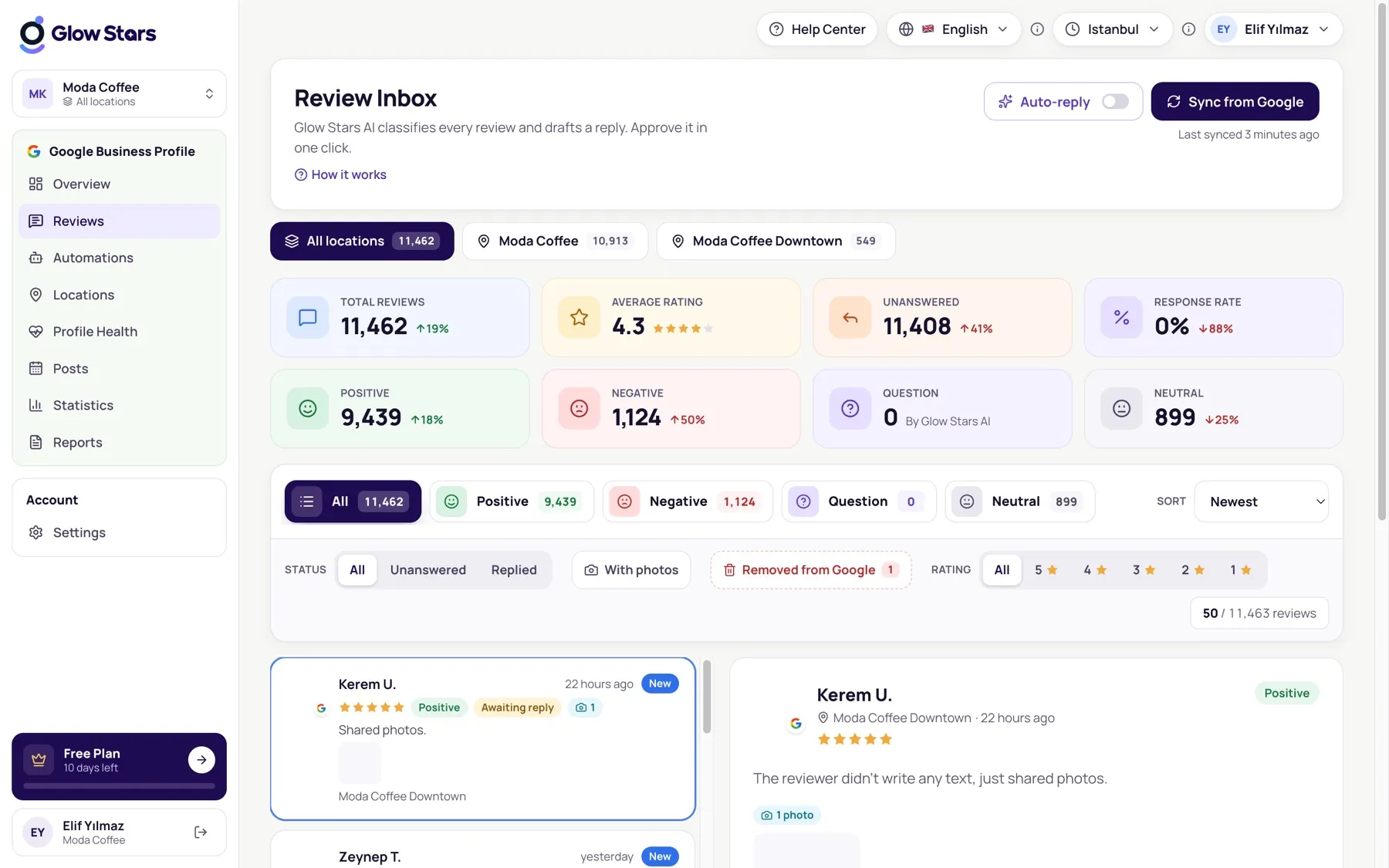
Glow Stars review inbox showing Google reviews from all locations in one list

Tools that make review management easy.

One inbox, every location

Reviews from all your locations in one list. Filter by location, rating, reply status and date in one click.

Synced within minutes

New reviews are pulled from Google at regular intervals. On first connection, your full review history is imported too.

What matters comes first

Unanswered and low-rated reviews rise to the top, so a negative review never sits waiting while you lose customers.

Work as a team

Invite teammates and decide who can do what with owner, admin, editor and viewer roles.

Get started in 3 steps.

  1. 1

    Connect your Google account

    Connect your Business Profile through Google’s official consent screen. Every location you manage is listed.

  2. 2

    Import your reviews

    Your past reviews and ratings arrive in the panel within minutes, and new ones are added automatically.

  3. 3

    Reply and keep track

    Edit the draft or approve it as is; the reply is published straight to your Google profile.

Why replying to Google reviews matters

Google sees businesses that reply to reviews regularly as more trustworthy and uses this as a signal in local search. Customers, too, read both the reviews and the business’s replies before choosing where to go.

A quick, calm reply to a negative review in particular shows everyone reading that you care about getting things right. Glow Stars turns this into a few minutes a day: reviews in one place, reply drafts ready.

Built for more than one location

No more logging in to Google separately for each location. In Glow Stars, all your locations sit side by side:

  • Focus on one location with the location switcher, or see them all together
  • Compare average rating, review count and reply rate across locations
  • Track the topics and keywords that come up most in reviews
  • Edit or delete replies you’ve posted; changes reach Google instantly

Frequently asked questions.

How often are reviews updated from Google?

New reviews are checked automatically every few minutes. You can also refresh manually from the panel.

Will my older reviews appear in the panel?

Yes. On first connection, every past review on your profile and its reply are imported, and you can follow the progress in the panel.

Will replies I send from the panel appear on Google?

Yes. Approved replies are published directly to your profile through the Google Business Profile API. If you edit or delete one later, Google is updated too.

How many locations can I manage?

Up to 1 location on Starter, 3 on Growth and 10 on Agency. For more, we build a custom plan.

Can I delete reviews?

Only Google can remove customer reviews. In Glow Stars you can edit and delete your own replies, and our help center explains how to report reviews that break Google’s policies.

Start making your Google profile shine today.

Try every feature of your plan free for 7 days. Setup takes 2 minutes.