Weekly and monthly PDF reports
Scheduling reports, generating one now and choosing the language.
Glow Stars delivers your performance in a polished PDF report with a Glow Stars AI summary.
Scheduling a report
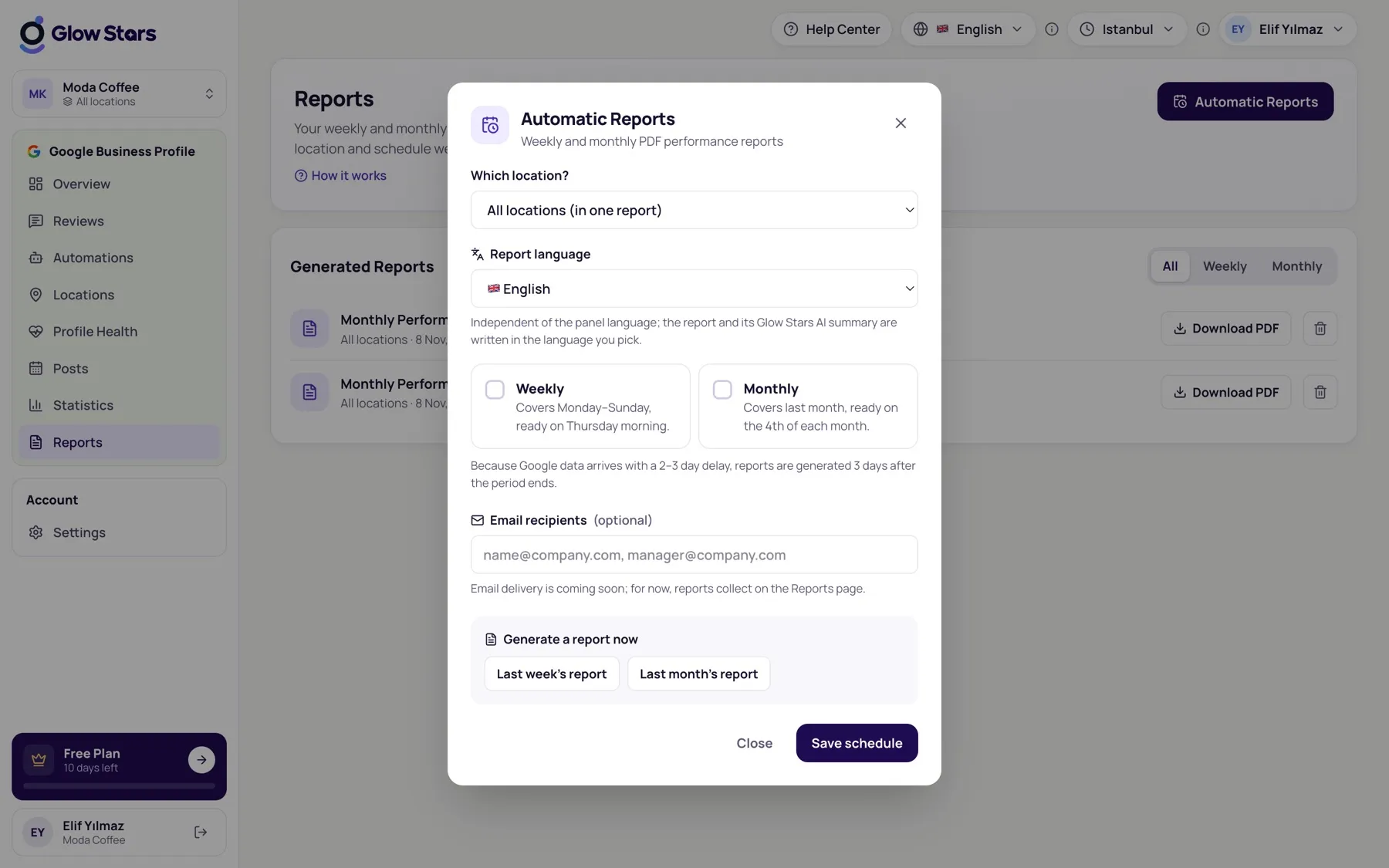
- Click Automatic Reports on the Reports page.
- Choose a location or All locations.
- Choose the report language (English or Turkish; independent of the panel language).
- Tick Weekly and/or Monthly and save.
When are reports ready?
- Weekly: covers Monday–Sunday, ready on Thursday morning.
- Monthly: covers last month, ready on the 4th of each month.
Because Google data arrives 2–3 days late, reports are generated a few days after the period ends.
Get a report now
Use Last week’s report or Last month’s report in the same window to generate one instantly. Finished reports are downloaded from the Reports page.
More in this category
Can’t find what you need?
Write to our team and we’ll get back to you soon.