
Setting up auto-reply
Reply automatically or send for approval based on rating.
Auto-reply is set per Business Profile and takes about a minute.
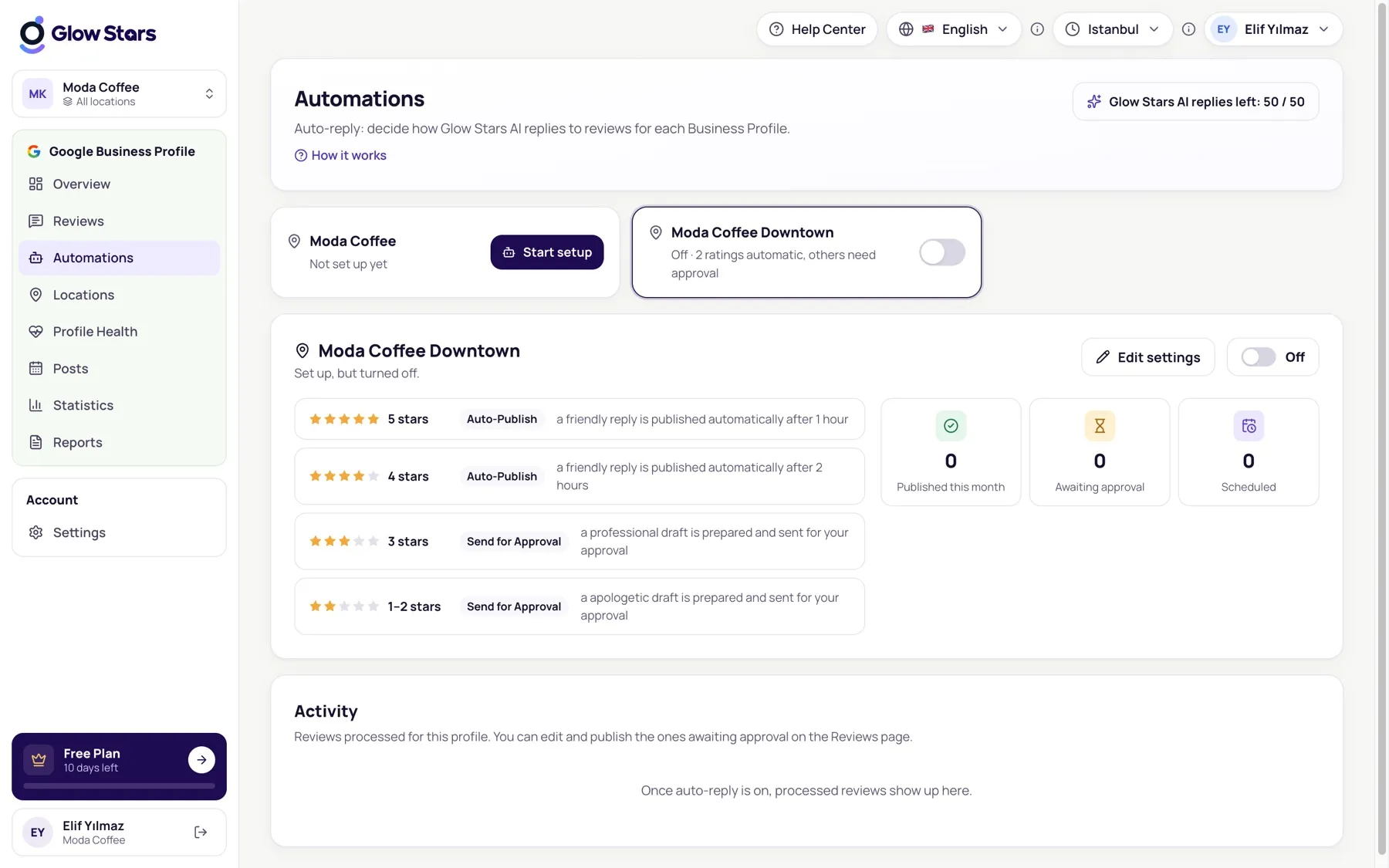
Setup
- On the Automations page choose a profile and click Start setup.
- Choose what happens for each rating group:
- Publish automatically: Glow Stars AI writes and publishes the reply.
- Send for approval: a draft is prepared and waits for your approval.
- Don’t reply: reviews in this group aren’t answered.
- Pick a reply tone and publishing delay, save, and switch auto-reply on.
Recommended start
Publish 4–5 star replies automatically and send 1–3 star reviews for approval, so you see every reply to a negative review first.
How it works
The automation engine processes new reviews every 5 minutes. Processed reviews appear in the profile’s Activity list.
More in this category
Can’t find what you need?
Write to our team and we’ll get back to you soon.